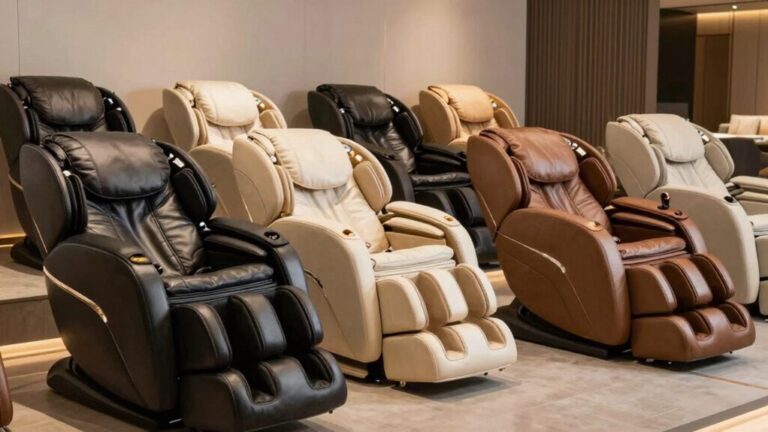

You’ll replace your Osaki massage chair controller by first disconnecting the power supply and locating the controller housing within the chair’s internal framework. Remove the fasteners securing the old unit, then carefully disconnect the electrical connectors while noting wire configurations. Position your new controller’s bracket rod into the armrest mounting point, align the holes, and fasten with M6 by 30 screws. Connect the color-coded wiring harness systematically, attach air tubes matching their harness colors, and secure the heating pad. For complete installation details and function testing procedures, further guidance awaits.
Troubleshooting Controller Issues
Before you consider replacing your Osaki massage chair controller, you’ll want to troubleshoot common issues that might be resolved without a full replacement. Start by detecting connectivity problems—verify your power outlet functions by testing another device, then check that the main power switch at your chair’s base is on. Inspect the power cord for secure connections and visible damage.
For resolving error code displays, unplug your chair for 5-10 minutes to discharge residual power. Press and hold the power button for 10 seconds after reconnecting. Reconnect all footrest cables securely: two power cables and one air line, ensuring they are aligned by white or indented dots for proper connection. Test your massage settings and recline function to confirm operation normalizes. Allowing your chair’s internal circuitry to reset can resolve many controller malfunctions without requiring replacement. If power surges have affected your chair’s microcomputer controls, this reset process may restore normal function.
Many massage chair manufacturers offer parts replacement coverage under warranty, which can help reduce costs if troubleshooting doesn’t resolve your issues. Since most Osaki massage chairs are manufactured in China, replacement controllers and parts are typically sourced through established supply chains that maintain quality standards. If issues persist after these steps, you should consult your user manual or contact the manufacturer’s customer service for model-specific procedures, as they can provide guidance tailored to your Osaki chair. If issues persist after these steps, consult your user manual for model-specific procedures or contact Osaki support.
Identifying Your Controller Type
To order the correct replacement controller, you’ll need to identify which type your Osaki massage chair uses. Your chair features either a touchscreen controller or a voice-controlled remote—sometimes both integrated together.
Examine your controller’s interface. Touchscreen models display visual menus and support touchscreen customization, allowing personalized settings like owner name displays. Voice control compatibility is standard on newer Osaki models, enabling hands-free operation through smart commands. The Trion Flex Duo’s intelligent health detection and smart voice control delivers a comprehensive user experience for effortless relaxation management. Replacement controllers are also available from specialized retailers in various formats, including hand remotes with cables for restoring full functionality to broken or missing units. Be aware that replacement controllers may face compatibility challenges across different model lines due to proprietary designs and connectors specific to each chair model. If your controller becomes unresponsive or displays error messages, you may need to perform troubleshooting steps before ordering a replacement. Always use factory-new parts to ensure repairs follow manufacturer standards and maintain optimal chair performance. When installing a replacement controller, take care to disconnect twisted or latched connectors beneath the control box to avoid electrical issues.
Check your chair’s model number against the replacement remote codes listed in your documentation: 0822 88603, 156504, or 28C1797. Each code corresponds to specific controller types. Verify which programs your remote accesses—DuoMax SE remotes control 20 auto programs, while Bravo Duo remotes manage 22 programs. Cross-referencing your model number with these specifications guarantees you’ll order the exact compatible replacement controller.
Sourcing Compatible Replacement Parts
Once you’ve identified your controller type, you’ll want to source your replacement through official manufacturer channels first. Osaki USA’s website provides genuine parts with full warranty coverage. If you’re under your 3-year manufacturer’s warranty, Titan Chair LLC handles replacements at no cost, provided you’ve operated the chair per instructions.
Third-party sourcing risks exist when purchasing from platforms like Alibaba or Global Sources. While China-based wholesalers offer controllers at $59-79, you’ll face warranty coverage limitations and compatibility concerns. Bulk ordering requirements often apply, making individual purchases impractical. For hands-on verification of your exact model specifications, consider visiting authorized dealers and showrooms in your area before committing to a replacement purchase. The extensive Osaki product lineup means that controllers vary significantly across different massage chair models, further complicating third-party sourcing decisions. Osaki’s competitive pricing from $1,599 to $9,999 reflects the quality and innovation of their controllers across various models. Many universal controls available through alternative retailers support IR, RF, or Bluetooth signals for various massage functions, though these may not align with your specific Osaki model’s requirements. Specialized retailers like Relaxonchair and BestMassage.com demonstrate how important it is to source from vendors experienced with your specific brand’s circuit boards and control mechanisms. Before purchasing, always disconnect power from your chair to avoid electrical hazards during the replacement process.
Always verify that replacement parts match your specific Osaki model number. Incompatible controllers won’t function properly and void your warranty protection. For ideal results and guaranteed compatibility, prioritize official channels despite potentially higher costs.
Preparation Steps Before Disassembly
Now that you’ve secured your replacement controller from an official source, you’ll need to prepare your chair properly before opening it up. Start with the power down sequence: unplug the electrical cord, press the power button, and verify the LCD screen extinguishes completely. Wait 5-10 minutes for full power dissipation.
Next, implement safety precautions by positioning your chair on a level surface and clearing a 3-foot radius around it. Wear protective gloves and keep children and pets away. Gather your tools: Allen wrench set, Phillips screwdriver, paper clip, cable ties, and a clean cloth. Be aware that grease on many components may require you to have extra cloth on hand for cleanup during disassembly. For internal wiring issues, consult OEM replacement parts documentation to ensure compatibility with your specific model. Most massage chair controllers operate on 24V DC power similar to standard power adapter specifications. Enlist a helper to assist with any heavy lifting, as massage chairs often weigh over 250 pounds and require proper weight distribution to avoid injury. Regular maintenance during repairs can help extend your chair’s lifespan beyond 15 years with proper care.
Finally, locate the seat cushion zipper at its base. Insert a paper clip through the child-safety hole to disengage it, then unzip both sides fully. Lift the cushion partially and secure it with velcro or clips before examining the cable organization beneath. Similar to replacing your massage chair cover, careful organization of cables and components during disassembly will make reassembly significantly easier.
Accessing the Controller Area
Before you can access the controller, you’ll need to locate the control panel positioned within your chair’s armrest assembly. The physical placement of controls on your Osaki model situates them on the inner side of the armrest, providing convenient access during operation.
Start by examining the armrest where you’ll find the quick-access buttons for power functions and play/pause capability. Note the USB outlet‘s location beside these controls, as charging accessibility proves essential for device maintenance. Always unplug power first before attempting any disassembly or replacement work on your massage chair. Your Osaki chair’s advanced AI technology continuously monitors your body to optimize controller responsiveness and massage delivery.
If your model features a touchscreen remote tablet, locate its magnetic holder on the armrest. For pedestal remote models like the OS-4000T, identify the left-hand armrest insertion point. Understanding these component locations prepares you for safe controller disassembly and replacement procedures. The touchscreen tablet provides a wider and more user-friendly interface compared to traditional built-in remotes, making it important to locate correctly before beginning any replacement work. Many premium massage chairs include features like 3D L-track technology that may be controlled through either the tablet or built-in remote interface. Your controller system also works seamlessly with the chair’s 24 airbags and multiple massage styles to deliver customized therapeutic relief. Osaki’s advanced Pro line tech ensures compatibility with various controller types across their product range.
Removing the Old Controller
With the controller area now accessible, you’ll need to safely disconnect the power supply before proceeding with removal. Locate the controller housing within the chair’s internal framework. You’ll typically find it mounted near the motor assembly or beneath the seat base.
Begin by identifying all fasteners securing the controller in place. These may include screws, bolts, or clips depending on your Osaki model. Use the appropriate tools to remove each fastener systematically, keeping them organized for potential reinstallation. Reference the instruction manual provided with your chair for model-specific fastener locations and specifications. When contacting the original manufacturer for guidance, ensure you have your model number available.
Next, carefully disconnect any electrical connectors attached to the controller. Note the wire configurations or take photos for reference during reinstallation. Unlike premium spa services, which have been phased out from many luxury venues, massage chair controllers require meticulous attention during removal. Many modern Osaki models feature AI body scanning technology that communicates through these connectors to customize your massage experience. For optimal results during reinstallation, refer to pre-programmed settings documentation to ensure proper functionality. Gently wiggle the controller free from its mounting position, taking care not to damage surrounding wiring or components. When disconnecting cables, be aware that cables may be glued in place, requiring extra care during removal.
Once fully detached, set the old controller aside safely.
Installing Your New Controller
To begin installing your new controller, you’ll first need to position the bracket rod into the armrest mounting point, ensuring the alignment holes match securely. Inspect the screw holes for debris before fastening with M6 by 30 screws. Use bracket installation techniques to achieve firm connections that prevent movement during operation.
Next, perform controller positioning adjustments by aligning the tablet holder precisely on the bracket rod. Connect your color-coded wiring harness systematically—black plugs to black ports, gray plugs to gray ports—ensuring all connectors are fully seated. The Osaki OS-4D Pro Maestro features advanced 4D roller technology that requires careful attention to connection integrity during installation.
Attach air tubes matching their corresponding harness colors, then secure the heating pad with zip fasteners. Complete velcro adhesive backing attachments to designated surfaces. The microprocessor serves as the control center that coordinates all massage components and stores your customized settings. These dynamic rollers adjust in real-time to deliver consistent depth and targeted relief across your massage experience. Many high-end massage chairs now include AI-powered monitoring capabilities that track biometric data during your sessions. Premium models like the Osaki Pro OS-3D Opulent feature 32 air cell full body compression for comprehensive therapeutic relief. Before powering on, verify that the pivot plate has been properly lowered into position to ensure all internal components align correctly. Only after verifying all connections should you power on the device. The remote control backlight blinking confirms successful initialization.
Testing and Reconnecting Wiring
Once you’ve completed the physical installation, you’ll need to confirm that all electrical connections function properly before using your massage chair.
Begin with power connection diagnostics by pressing the ON/OFF button—your backlight should blink, indicating idle mode. Activate the massage function; if the controller responds without chair movement, you’ve identified a wiring issue requiring reconnection.
Perform wire alignment inspection by verifying that plugs match color marks precisely: black to black, gray to gray. Guarantee cable connectors and air pipe marks align completely before inserting plugs fully into corresponding seats. Your Osaki chair’s air massage system requires precise connections to ensure proper compression delivery across all zones, with 18 airbags strategically positioned to provide comprehensive coverage. Many modern massage chairs incorporate body scanning technology to optimize massage patterns across different body types. Most quality massage chairs feature sturdy construction suitable for various body types and extended work sessions.
Test speed and width adjustments through tapping and clapping modes. If the controller functions but the chair doesn’t respond, cycle power off and on to reset the system. For optimal performance similar to 3D body scanning technology found in advanced massage chairs, ensure all connections are secure. Reconnect and realign any loose connections, then secure your remote to its holder.
Performing a Full Function Test
Now that you’ve reconnected and realigned all wiring, you’ll want to verify every controller function before declaring the replacement complete. Start by powering on the chair and testing each button systematically. Check all massage modes, intensity levels, and heat settings to guarantee they respond correctly. Test the recline function, footrest extension, and any lumbar support adjustments. Pay particular attention to confirming full range operation across all features—don’t assume anything works until you’ve personally activated it. Features like 4D dual-track rollers and zero gravity recline should be tested thoroughly to ensure proper functionality.
Monitor the chair’s performance for any lag, unresponsiveness, or erratic behavior. If you notice malfunctions during verifying controller functionality, power down immediately and recheck your wiring connections. Validate that all connectors are fully seated and secure. Many users report that advanced massage features such as 4D rollers and heated components significantly enhance the therapeutic experience during initial testing phases. For personalized wellness benefits, consider how AI stress monitoring technology can help optimize your massage chair’s performance based on individual tension levels. Expert validation from sports medicine specialists can help you understand the therapeutic benefits your chair should deliver. The company’s commitment to standing behind their product ensures you can proceed with confidence in this replacement process. A smart body scanning feature will help ensure your controller adjustments match your physical dimensions for optimal comfort. Only after completing this exhaustive full function test can you confidently confirm the replacement was successful.