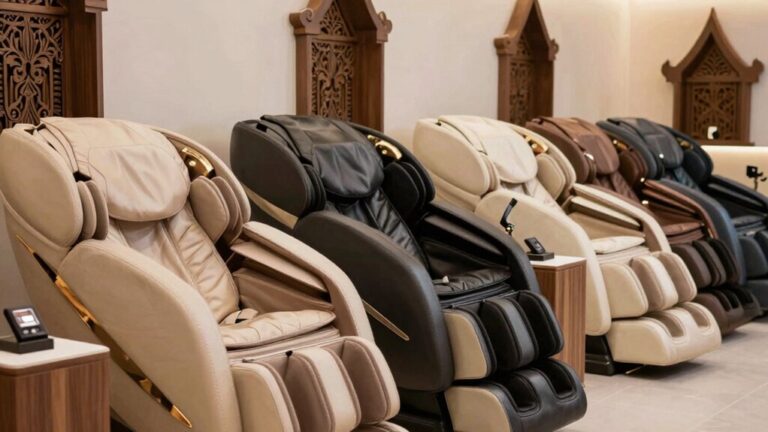

To replace your Real Relax massage chair remote, you’ll first need to identify your chair’s model number on the back or underside label. Next, confirm compatibility by checking your PCB board’s connection type and cable specifications—incompatible remotes won’t function properly. Disconnect power before installation, then connect the hand controller to the designated port. If you’re uncertain about compatibility, contact Real Relax at 800-513-5727 or service@realrelaxmassage.com with your order number and product code. The complete installation process involves several additional critical steps worth exploring further.
Understanding Your Remote Control Features
Before you’ll need to master the basic layout and functions of your remote control. You’ll find power controls, mode selections, and adjustment buttons organized logically for intuitive navigation. The On/Off button manages power, while the Manual button lets you switch between automatic and custom modes. Your remote gives you access to preset auto modes like relax, Chinese, tie, recover, strong, and sleep for different massage chair customization preferences.
Understanding each button’s function enhances your massage experience greatly. The Lock feature prevents accidental touches, addressing critical chair safety features. You’ll control massage strength, width, and roller position through dedicated buttons. Air Massage controls manage airbag intensity across multiple zones. You can switch between auto programs anytime without waiting for the current program to finish. Advanced remotes feature LCD or touchscreen displays with convenient shortcuts, simplifying your interaction with the chair’s extensive functions. When installing a replacement remote, carefully align connector pins without forcing them to avoid electrical damage. Replacement remotes can be ordered from manufacturers and are typically plug-and-play installations that require minimal technical expertise. If your remote experiences glitches or unresponsiveness, troubleshooting methods like unplugging your chair can often resolve the issue. For safety reasons, always remember to power off and unplug your massage chair before attempting any remote replacement or maintenance work. When you need to replace your remote, ensure you use factory-new parts designed specifically for your Real Relax model to maintain optimal compatibility and performance.
Identifying Your Massage Chair Model
You’ll typically find your massage chair’s model number on a label affixed to the back or underside of the unit, which you can easily locate by tilting the chair forward or checking behind removable panels. Document this information for future reference when ordering replacement remotes.
Model identification techniques involve examining the label closely for alphanumeric codes that distinguish your specific chair version. The serial number location often appears adjacent to the model number, providing additional verification details. Understanding your chair’s AI-powered body scanning capabilities can help you select a remote that fully supports all customization features available in your model. Replacement remotes typically come in various configurations such as 8-pin hand remotes with extended cables to ensure compatibility with your specific Real Relax model.
Before purchasing a replacement remote, cross-reference your model number with the manufacturer’s documentation. Different Real Relax models may use incompatible remotes, so precise identification prevents ordering incorrect accessories. Starting with 15-minute sessions when using your replacement remote allows you to acclimate to any interface differences from your previous control method. Keep your model and serial numbers accessible for customer support inquiries or warranty claims. Like many massage chair manufacturers, Real Relax may source components from top-tier manufacturing facilities to ensure quality and compatibility across their product lines. For unavailable parts, contacting customer service representatives is recommended to locate compatible replacements for your specific model.
Checking Compatibility Before Purchase
Now that you’ve identified your massage chair’s model and serial numbers, confirming remote compatibility becomes your next step to ascertain you’re ordering the correct replacement. Don’t assume universal model specific compatibility—manufacturers customize remotes for their proprietary programs like Swedish or Shiatsu massage functions.
Check your chair’s PCB board connection type and cable specifications before purchasing. Contact the manufacturer directly if you’re uncertain; Lexor, for instance, requires support verification for 2022+ models using updated inlay remotes. Most massage chair remotes connect to a 24V DC power supply that delivers the necessary voltage to control your chair’s massage mechanical system, making proper identification essential for correct functionality. The hand held remote with cable connects directly to the massage PCB board that controls your chair’s massage mechanical system, making proper identification essential for correct functionality. Safety steps like disconnecting power first are emphasized to avoid electrical hazards during replacement. For advanced troubleshooting, consider performing a hard reset by unplugging] your chair for 5–10 minutes before attempting a full remote replacement. If you encounter issues, you may need to consider desoldering and resoldering wires on the circuit board to repair power adaptors before attempting a full remote replacement.
Verify the exact part number through retailer Q&A sections or your original documentation. When replacing your massage chair cover, it’s equally important to ensure all components, including the remote, are properly synchronized. Affirm remote to chair synchronization by matching connection types—whether corded, touchscreen, or quick-key systems. This verification prevents costly ordering errors and ensures seamless functionality restoration.
Step-by-Step Remote Installation Process
Installing your massage chair’s remote control requires careful attention to power connections and component sequencing. First, guarantee you’ve addressed all power connectivity concerns by plugging the power cord into a three core grounded socket and verifying correct voltage. Turn on the power switch at the chair’s bottom before connecting your remote. Make sure the power switch is off before connecting to electricity to prevent any electrical hazards.
Connect the hand controller to its designated port on the chair. Press the power button on your remote to activate the unit. Long press the foot roller button for 5 seconds if you need to clear Bluetooth settings. Before proceeding with remote configuration, ensure you have fully deployed the foot and calf massager to verify all components are accessible.
Navigate remote configuration options to select your preferred massage mode. Test alternating rollers and adjust air bag strength and roller intensity through custom mode settings. Confirm all connections function properly before regular use. Selecting a reputable brand manufacturer ensures your remote and chair components are built to last through years of reliable operation. The Real Relax PS5200 4D model features SL-track rollers that provide advanced massage functionality across multiple body zones. Unlike budget gaming chairs that sacrifice quality for affordability, investing in a higher-end ergonomic gaming chair provides superior durability and advanced massage functionality for extended use. Enlist a helper when positioning the chair in your desired location, as massage chairs often weigh over 250 pounds and require careful handling to avoid injury.
Troubleshooting Common Remote Problems
Even with proper installation, your massage chair’s remote can encounter issues that prevent normal operation. Start by checking power connections—ensure the plug fully seats in the outlet and the power switch is on. If problems persist, try unplugging the chair for one hour, then connect it.
For resolving signal interference, remove obstructions between the remote and chair. Keep the remote away from direct sunlight, children, and pets, as these factors damage components over time. Similar to how tapping or hum sounds from the air pump and motor are normal operational noises, some minor remote responsiveness variations can occur during initial setup. Many massage chair users report that deep kneading massage features can sometimes trigger unexpected remote sensitivity changes when the motor is operating at full intensity. Modern massage chair remotes now feature touchscreen interfaces and voice control capabilities that can reduce common operational issues. Premium massage chairs like the uDream Pro Well-Being Massage Chair include AI Stress BioSensor technology that enhances remote responsiveness and personalized control.
If your remote remains unresponsive, perform a factory reset by holding the power and kneading buttons for 5-10 seconds. Should error messages appear, professional inspection may be necessary. When troubleshooting persists without results, disconnecting cables and waiting for a system reset period can restore functionality in some models. For persistent issues, you may need to contact support services similar to Cozzia USA for warranty repairs. Preventing remote damage requires proper storage and careful handling during regular use.
Contacting Real Relax Inc. for Replacement Parts
When troubleshooting doesn’t resolve your remote’s issues, you’ll need to contact Real Relax Inc. directly for replacement parts or service. Use these company contact details: call (800) 513-5727 or +1-866-999-6953 during Monday-Saturday, 11 am to 8 pm GMT +8. Email service@realrelaxmassage.com for product exchange procedures.
When you reach out, have your order number and product code ready. Include detailed photos or videos of the problem. The service team will request this information to process your replacement efficiently. Unlike some massage chair brands, Real Relax focuses on model-specific compatibility to ensure replacement remotes function properly with your exact chair model.
Real Relax honors a free 30-day return policy. If approved, you’ll receive return instructions and a shipping address: 13725 Pipeline Ave, Building 30, Chino, CA 91710. The team tracks your package throughout the replacement process. Many retailers partner with HSA/FSA reimbursement platforms to help you use pre-tax funds for your massage chair purchase. Note that warranty covers replacement parts, if applicable, so your remote control replacement may be covered under your chair’s one-year warranty. If you have cardiac devices like pacemakers or defibrillators, consult your cardiologist before using the massage chair, as electromagnetic fields from motors may pose theoretical risks despite modern device resistance. Additionally, if you’re using FSA or HSA funds to purchase your massage chair, ensure you have a Letter of Medical Necessity from your healthcare provider to qualify for tax-free reimbursement through FSAs or HSAs.
Warranty and Return Policy Options
Real Relax Inc. typically covers your massage chair and accessories for one year against manufacturing defects, missing materials, and functionality failures. You must notify the company within 14 days of unearthing a defect by submitting images or video documentation to service@realrelaxmall.com.
For replacement parts shipping, Real Relax shares costs with you while handling recollection of defective components. You’re responsible for return shipping fees unless the product’s defect qualifies as a quality issue. The warranty is non-transferrable to subsequent owners, so only the original purchaser can make valid warranty claims.
If you’re considering extended warranty options, third-party 5-year coverage is available for select brands, providing in-home labor, parts, and service for original purchasers. However, extended warranties exclude dropped remotes, cracked screens, cosmetic wear, and misuse. Premium massage chairs often include comprehensive warranty coverage that protects your investment over their expected lifespan. A massage chair represents a long-term health investment that protects your purchase through comprehensive warranty coverage. Many of the top-rated models featured in expert reviews include SL-track systems and 4D mechanisms that benefit from extended warranty protection. To maximize the benefits of your massage chair investment, consider following optimal usage frequency recommendations to maintain the chair’s condition and ensure its longevity. High-end models from brands like Ogawa and Infinity come equipped with advanced therapeutic technologies that warrant protective extended coverage plans.
Returns remain valid for 30 days from receipt, with new items returning free but used items incurring a 20% fee plus potential 10% damage assessments.
Maintaining Your Remote Control for Longevity
Your massage chair’s remote control will last considerably longer when you establish a consistent maintenance routine that addresses cleaning, inspection, power management, and preventive care. You’ll want to clean buttons and crevices with disinfectant wipes, using only mild solutions to avoid damage. Implement remote usage precautions by limiting sessions to 15-30 minutes and avoiding prolonged use without breaks.
For proper remote storage, keep cords neatly arranged and position your chair in well-ventilated areas away from direct sunlight. Regularly inspect buttons for responsiveness and check all connections for damage. Using a surge protector will safeguard your remote’s electrical components from power fluctuations. Features like heat settings and durability are essential for maintaining long-term performance of your massage chair system. The three-motor setup found in quality massage chairs requires consistent maintenance to ensure optimal functionality. Consider chairs with built-in back massagers that incorporate advanced features to enhance both comfort and longevity. Many premium massage chairs offer genuine leather construction alongside advanced massage technologies for improved durability and aesthetic appeal. Advanced massage chairs with variable speed control technology can help preserve component longevity by automatically adjusting intensity levels during use. Unplug your chair before maintenance work, and perform hard resets when needed by unplugging for 5-10 minutes. Schedule annual professional servicing to maintain electrical components and replace damaged parts immediately.